
Dojo Islands
ClassDojoEducational
3.88.00 Reviews
- Version
- 1.8.0
- Installs
- 10.00K
- Age Rating
- Everyone
Screenshots
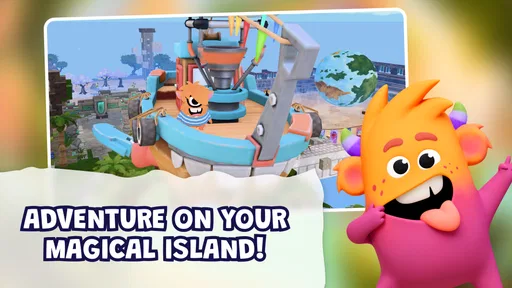

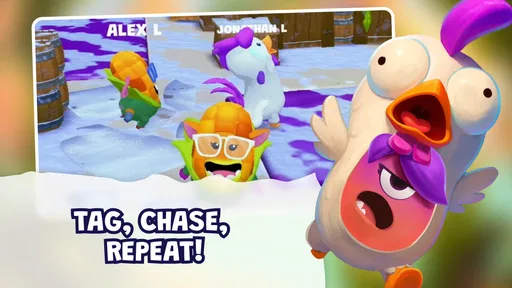
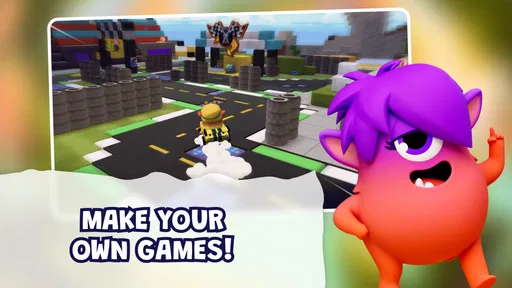
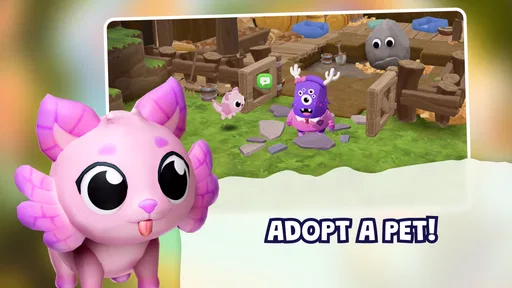
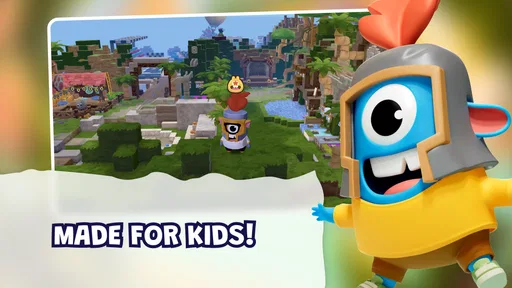
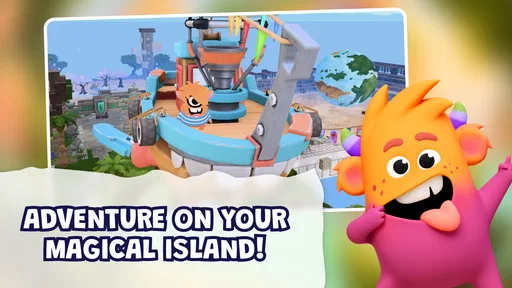

Our Review of Dojo Islands
 Analysis by Appyee
Dojo Islands is an educational game from ClassDojo that puts its main idea in a simple place: children get a virtual world where they can create, build, and play together. I found that this focus makes it feel different from a typical quiz app or a purely open-ended sandbox. The appeal is not just collecting rewards or passing short lessons; it is having a shared space that gives children a reason to make choices, experiment, and return to something they have helped shape.
That central capability matters because it changes the role of play. Instead of presenting learning as a sequence of questions, the game gives children a setting in which curiosity can lead the session. A child who enjoys arranging spaces, inventing activities, or showing a creation to someone else may stay engaged longer than with a conventional educational exercise. At the same time, this is not a replacement for a structured curriculum. I see it more as a creative, social supplement for children who learn well when they can explore.
Why the shared virtual world is the heart of Dojo Islands
The strongest part of Dojo Islands is the idea of children making a place rather than merely consuming content. The store summary describes it as a safe virtual world, and that safety-oriented framing is important for parents deciding whether a multiplayer-style experience belongs on a child’s device. The game is aimed at Everyone, so its presentation is designed to be approachable for a broad young audience rather than for older players looking for difficult competition.
In my experience, a creative world works best when a child can see a clear connection between an action and a result. Building something, changing an area, or preparing a space for play gives an immediate sense of ownership. That can support persistence in a way that a string of disconnected mini-games often does not. The child is not only asking, “Did I get the answer right?” but also, “What do I want this place to become?”
That distinction is the game’s most useful educational angle. It encourages planning, decision-making, and expression without presenting those skills as a worksheet. A child may practise sequencing by deciding what to do first, spatial thinking by arranging a creation, and communication by explaining an idea to another player. These are modest forms of learning, but they are woven into the activity instead of being announced as a lesson.
I would not describe the experience as a deep building simulator. Its value comes from accessibility and shared creativity, not from offering the complexity of a traditional construction game. That makes it easier for younger players to approach, but it also means children who want advanced systems, detailed crafting, or a large competitive challenge may quickly want something more demanding.
What playing together changes
The social element gives creations a purpose beyond personal decoration. When children can play together, a building decision becomes a conversation starter: one person can suggest an idea, another can modify it, and both can react to the result. Even when the activity is simple, that loop can encourage turn-taking and cooperation more naturally than an isolated puzzle.
Parents should still think about how they want shared play to fit into family routines. A virtual world can be more engaging than a short educational drill because it invites children to keep developing what they started. That is a strength when the goal is creative time, but it can also make stopping less automatic. I recommend setting the expected play period before handing over the device, especially for children who find it difficult to leave an unfinished project.
For siblings or friends, the game may work best as a guided shared activity rather than something left entirely unattended. Asking a child to describe what they built, why they chose it, or what they would change next turns passive screen time into a small conversation about design and problem-solving. That simple follow-up is one of the easiest ways to get more educational value from the game without turning play into a test.
How the experience works in an everyday session
A realistic use case would be a child coming home after school and wanting a short creative activity before dinner. Instead of opening a fast action game, the child enters the island world, works on one small area, and then invites a sibling or friend to see it. The session has a natural beginning in choosing a project, a middle in building and adjusting it, and an ending when the child explains what was completed.
That structure is useful because it gives parents several points at which to set boundaries. You can suggest a small goal such as finishing one part of a build, agree on a stopping point, and ask the child to show the result before putting the device away. The game does not need to carry the entire educational burden by itself; it can become a prompt for storytelling, planning, and reflection away from the screen.
I also think the shared-world concept is a better fit for occasional family play than for a child who wants a solitary, highly directed lesson. If your priority is practising spelling, arithmetic, or a particular school topic, a dedicated learning app will usually be more precise. Dojo Islands is broader and less measurable. Its learning comes through creative activity and social choices, so the benefits are easier to observe in behaviour than in a score report.
One practical tip is to encourage children to explain the rules of their own creation. If they build a place for others to use, ask what visitors should do there and how the space is organised. This turns a visual project into communication practice. Another useful approach is to let children revise rather than insisting on a perfect first attempt. The ability to change a design without treating the first version as a failure is a valuable habit, and this type of world naturally supports that mindset.
Where Dojo Islands fits among educational games
Compared with flash-card apps, Dojo Islands is less direct. A flash-card tool can provide repeated practice and make progress easy to count, while this game gives more room for imagination but less obvious academic measurement. Compared with coding games, it is likely to feel less technical and more open to children who are not yet interested in programming logic. Compared with large sandbox games, its educational positioning and Everyone age rating make it a gentler choice for families seeking creative play without starting with a mature or highly competitive environment.
That comparison also shows when another option is better. A child preparing for a maths assessment may gain more from a focused practice app. A child who wants elaborate construction systems may prefer a full sandbox game. A child who dislikes social play may be happier with a private puzzle or story-based title. Dojo Islands occupies the middle ground: creative, accessible, and social, but not a specialist tool for academic revision or advanced game design.
The developer is ClassDojo, which gives the title a recognisable educational context, but I would still judge it by the child’s actual interests rather than by the developer’s name alone. The important question is whether the child enjoys creating and sharing. If that motivation is present, the game’s core idea has room to work. If it is not, the virtual world may feel like an attractive setting without enough reason to stay.
Trade-offs parents should understand before installing
The game is free to install, which makes trying it relatively easy. It includes in-app purchases ranging from $3.99 to $59.99 per item, so I would check device purchase controls before allowing independent play. The presence of optional spending can change how relaxed the experience feels for a family, particularly when a child is enthusiastic about expanding or customising a virtual world.
That financial consideration is not a minor detail. In a creative game, children can become attached to a project and may naturally want more ways to develop it. I recommend discussing purchases before the first session and making it clear whether the child can request something or whether spending is disabled. A simple family rule prevents the game’s creative appeal from becoming a source of repeated negotiation.
There is also a trade-off between freedom and direction. Open-ended play can be rewarding, but some children need a clear objective to stay engaged. If a child opens the game and repeatedly asks what to do next, the world may need support from an adult who can suggest a small project. “Build a place for a character to visit” or “make an area that tells a story” is more helpful than simply saying, “Go and explore.”
Another limitation is that social creativity does not automatically mean meaningful cooperation. Children may enjoy being in the same world while still working separately, or they may disagree about what to build. That is not necessarily a flaw; negotiating those differences can be useful. Still, parents expecting smooth collaborative play should be ready to guide turn-taking and help children turn conflict into a design decision.
Performance and comfort also depend on the device and the child’s tolerance for virtual environments. The game supports Android devices beginning with version 7.0, and the current version is 1.8.0. Those details make compatibility easier to judge, but they do not guarantee that every older device will feel equally comfortable in use. I would test it briefly before planning a longer shared session, especially if the device is used by a younger child who may need simple, responsive controls.
Who will get the most from this game
Dojo Islands is best for children who enjoy making things, showing their ideas, and playing alongside others. It can be particularly useful for a child who resists formal educational apps but responds to imaginative settings. The game gives adults a way to encourage planning and conversation without presenting every useful skill as homework.
It may also suit families looking for a shared digital activity. A parent can sit nearby, ask questions about the world, and help a child set a manageable goal. Siblings can use it as a cooperative project if they are willing to take turns and accept that the final result may not match one person’s original plan. In both cases, the adult’s involvement improves the experience because the game’s strengths are creative and social rather than purely instructional.
I would be more cautious about recommending it to a child who needs visible academic progress, dislikes open-ended activities, or becomes frustrated when a project takes time. The same freedom that inspires one player can leave another feeling lost. For those children, a structured educational app with clearly defined exercises may be the kinder choice.
The current audience appears modest, with over ten thousand installs and an average rating of 3.8 from around seventy ratings. I would treat that as a reason to approach the game with realistic expectations rather than as a verdict. The concept is appealing, but a creative multiplayer world depends heavily on whether a particular child enjoys its style and whether there are suitable people available for shared play.
My recommendation after looking at the complete picture
I like Dojo Islands most when I view it as a creative meeting place for children, not as a substitute for a school subject. Its central capability—letting kids create, build, and play together—can turn screen time into a small exercise in planning, expression, and cooperation. The effect is strongest when a child has a concrete idea to pursue and an adult or friend who is interested in seeing the result.
The free entry point is helpful, and the Everyone rating makes it approachable for families considering an educational game. However, the in-app purchase range deserves attention, and the open-ended format will not suit every learner. I would install it for a child who enjoys imaginative construction and social play, set purchase restrictions first, and begin with short sessions built around one achievable project.
My final view is positive but specific: Dojo Islands is worth trying when creative collaboration is the learning opportunity you want. It is not the right pick for targeted revision, advanced sandbox building, or a child who needs constant instructions. When used on its own terms, though, it offers something many educational games miss—a reason for children to make a world, explain their choices, and invite someone else into the idea.
For families ready to try it, I would start by asking the child what kind of place they want to create, agree on how long the first session will last, and decide in advance how purchases will be handled. Those three choices make the experience calmer and more purposeful. If the child keeps returning to improve creations and talk about them, that is a good sign that the game’s particular blend of play and learning is working for them.
Verdict
Strengths of Dojo Islands
- Relaxing island setting with a friendly, low-pressure atmosphere.
- Simple controls make it accessible for casual players.
- Exploration encourages curiosity without demanding long play sessions.
- Charming visual style gives the islands a distinctive identity.
- Suitable for players who enjoy gentle progression and discovery.
Limitations of Dojo Islands
- Progress may feel slow for players seeking constant action.
- Some activities can become repetitive after extended play.
- Limited challenge may not satisfy experienced gamers.
- Certain features may require patience or repeated resource gathering.
- Performance can vary on older phones or less powerful tablets.
Other Releases by ClassDojo
View All
ClassDojo
Education4.8
Similar Picks in This Category
View All
Little Panda Policeman
BabyBus4.0

Monster Trucks Game for Kids 2
Raz Games4.1

Little Panda's Chinese Recipes
BabyBus4.4

Little Panda's Restaurant
BabyBus4.4

Little Panda's Ice Cream Games
BabyBus4.3

Baby Panda Care
BabyBus3.8
Frequently Asked Questions
What is Dojo Islands, and what kind of game is it?
Dojo Islands is a mobile game built around training, exploration, and competitive challenges in a colorful island setting. Players typically develop their character, improve abilities, complete activities, and take part in battles or other skill-based encounters. The experience combines progression with social or multiplayer elements, so it may appeal to players who enjoy collecting upgrades, practicing techniques, and gradually becoming stronger rather than completing a short, one-time campaign.
Can Dojo Islands be played offline?
Dojo Islands appears to be designed primarily as an online experience. An internet connection may be required for signing in, loading game content, synchronizing progress, accessing multiplayer features, and receiving events or updates. Some areas may load after installation, but users should not assume that the full game works offline. A stable Wi-Fi or mobile-data connection is recommended, especially when participating in online activities or competitive modes.
Is Dojo Islands free to download, and does it include in-app purchases?
Dojo Islands can generally be downloaded without an upfront purchase, but free access may be supported by optional in-app purchases. These purchases can include cosmetic items, progression-related resources, special currency, or other extras, depending on the current version. The game can still be explored without spending money, although progress may feel slower for some players. Parents should review device purchase settings before allowing children to play.
Is Dojo Islands suitable for children and younger players?
The game’s bright presentation and training-focused theme may be attractive to younger audiences, but suitability depends on its current age rating, chat functions, advertising, and purchase options. If the game includes interaction with other players, parents should check privacy and communication settings carefully. It is also worth reviewing screen-time limits and disabling unauthorized purchases, since online games can encourage frequent play or optional spending.
What devices are compatible with Dojo Islands, and what should I check before installing it?
Before downloading Dojo Islands, check that your Android or iOS device meets the minimum operating-system requirements listed on its official store page. You should also make sure enough free storage is available for the initial installation and later updates. Because the game may use online graphics, animations, and multiplayer services, performance can vary on older phones or tablets. Installing the latest system updates can help reduce crashes and connection problems.
Play our best games!


